For Mac
An envelope budget app made for the Mac
Granary on the Mac is a full window, not a stretched phone app: your bins in a sidebar, the month planned in one grid, and shortcuts for what you do every day. It never asks for your bank login.

- Free on one device
- Share free with one partner
- Plus: 1-month free trial for new subscribers, then $24.99 a year
- iOS 26, iPadOS 26, watchOS 26 or macOS 26
- Not yet in the EU


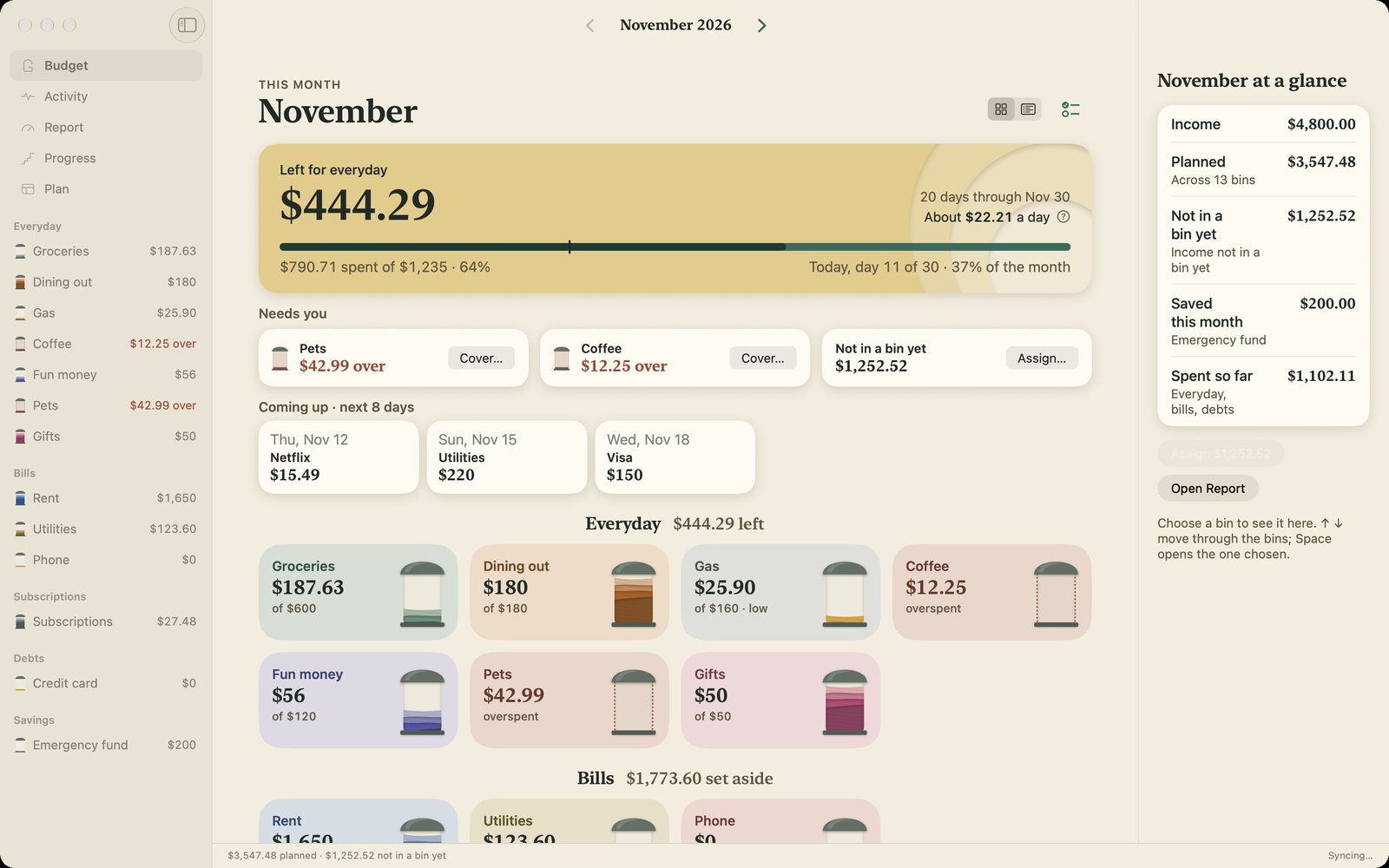


Made for a Mac window
- A sidebar. Budget, Activity, Report, Progress and Plan sit down the side. On a wide window your bins are listed there too, and the bin you choose opens in a panel at the side.
- The month in one grid. Plan shows every bin's amount for the month in one place, next to what each one spent lately, so you can plan the whole month from the keyboard.
- Shortcuts. ⌘N logs a purchase, ⌘K jumps to any bin, and ⌘1 to ⌘5 move between Budget, Activity, Report, Progress and Plan. Deleted something by mistake? ⌘Z brings it back.
- A right-click away. Edit an entry, move it to another bin, split it across bins or duplicate it from its menu.
Your bank's statement, without your bank login
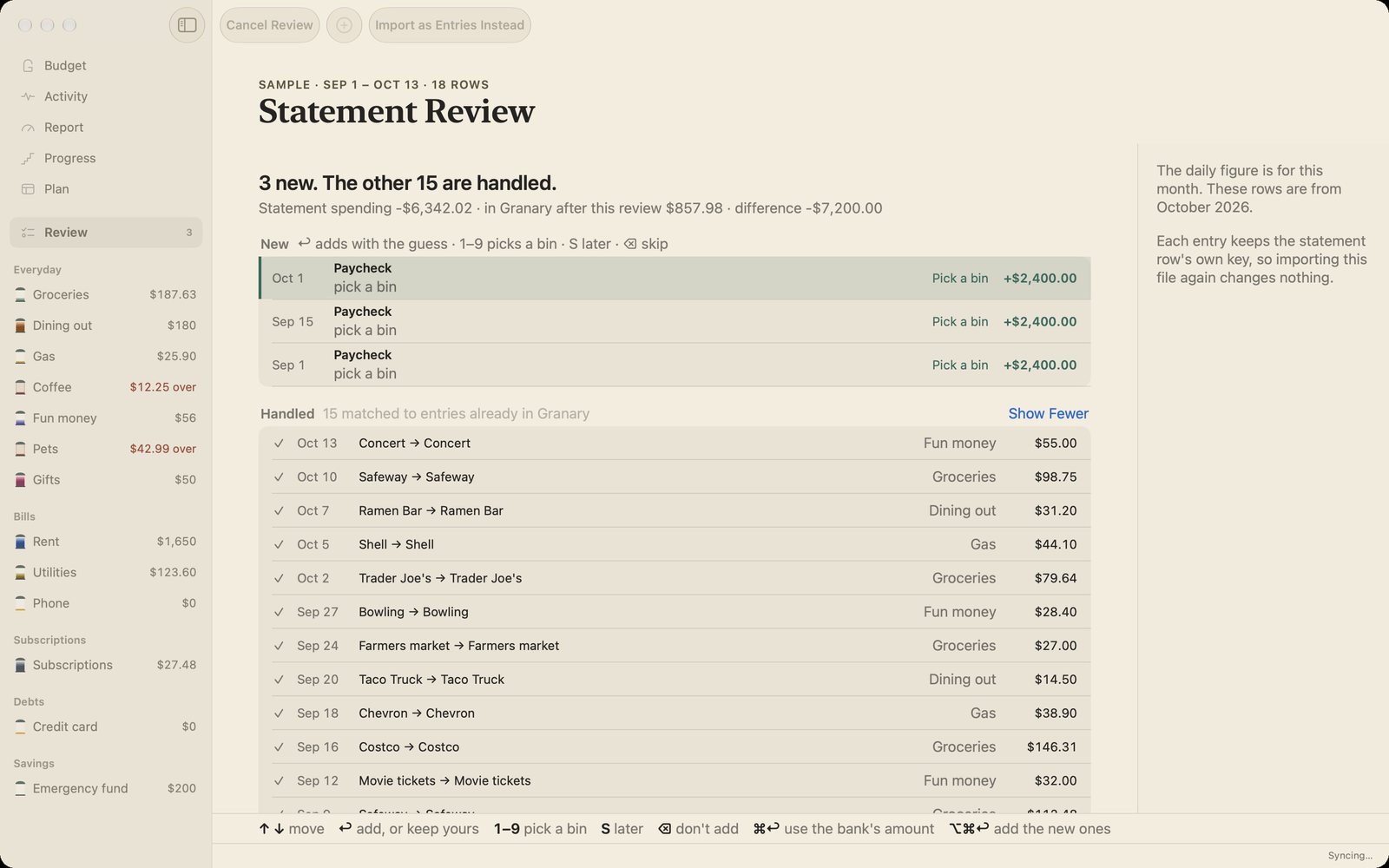
Download a CSV from your bank and drag it onto the window, or choose File › Import CSV. Granary checks it against what you've logged, and nothing changes until you choose. It never asks for bank credentials, and there's no account to create. Your budget stays on your devices and in your own iCloud. More on privacy.




With your iPhone
It's one app on the App Store for iPhone, iPad and Mac. Log a purchase at the register in two taps on your iPhone, or let Apple Pay purchases log themselves with a Wallet automation in Shortcuts, then plan the month at your desk. Budgeting alone on more than one device? Keeping them in sync is part of Plus. Share with one partner and it's free, and your own devices stay in sync too.
Coming from another app?
Granary imports a CSV from YNAB, Goodbudget or your bank, and you review it before anything is added. See how it compares with YNAB and Goodbudget.
Is it right for you?
Granary runs on Apple devices only, with macOS 26 on the Mac, and has no Android or web version. It doesn't connect to your bank, so you log spending yourself, with Apple Pay on your iPhone, or from a statement. If you want every transaction pulled in for you, it isn't the app for you.


