How-to guides · Together
Share your budget with a partner
One budget, both of you logging. Sharing with one partner is free, and while either of you has Plus you both get Plus features in the shared budget. Only people you invite and approve can join, and both of you need an iPhone, iPad or Mac.
Open Sharing
On your device, open Settings › Sharing.
Invite Partner
Tap Invite Partner…. If your budget isn't in iCloud yet, Granary asks Share Through iCloud?: tap Continue, and it backs up your budget and moves it to iCloud first. The first time, it asks What should your partner see you as?: type your first name and tap Continue. It then shows a code and a QR code that work for 10 minutes. Apart? Send an Invitation Link… sends one instead.
Your partner joins
On their device, your partner opens Settings › Sharing › Join Your Partner's Budget…, or taps Join my partner when they first start Granary. They scan or type the Invite code, add their name and tap Ask to Join.
Approve
When they ask to join, tap Approve. Keep Granary open on both devices until it finishes.
Log together
You both see the same bins and spending. In Activity, each entry says who logged it, and the Logged by filter shows just one of you.
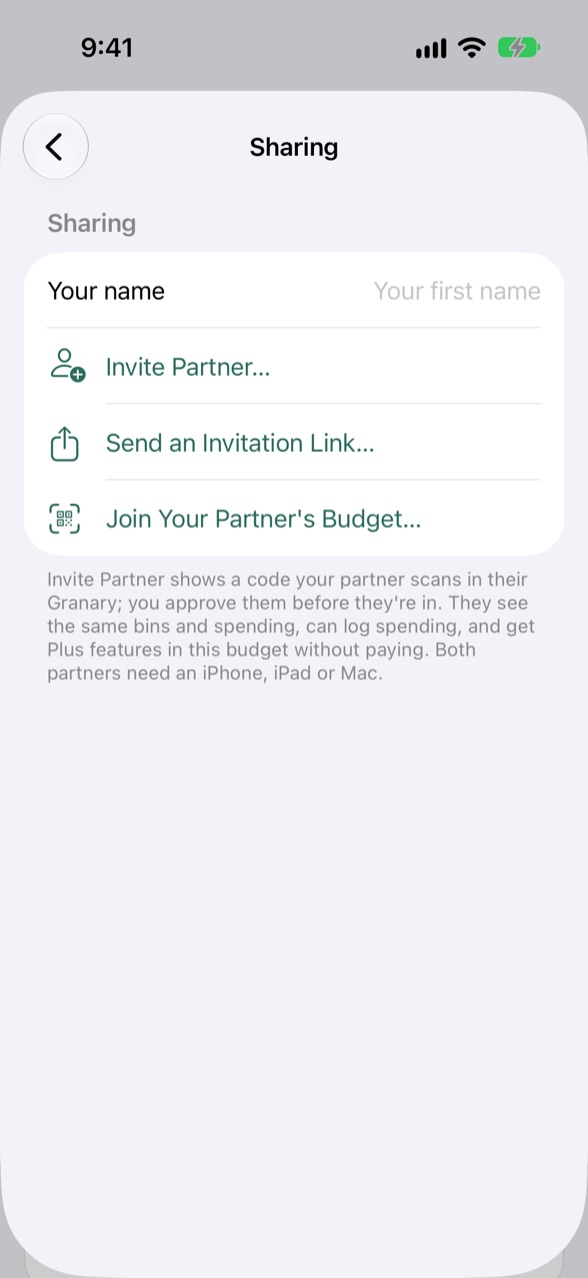 1. Settings › Sharing
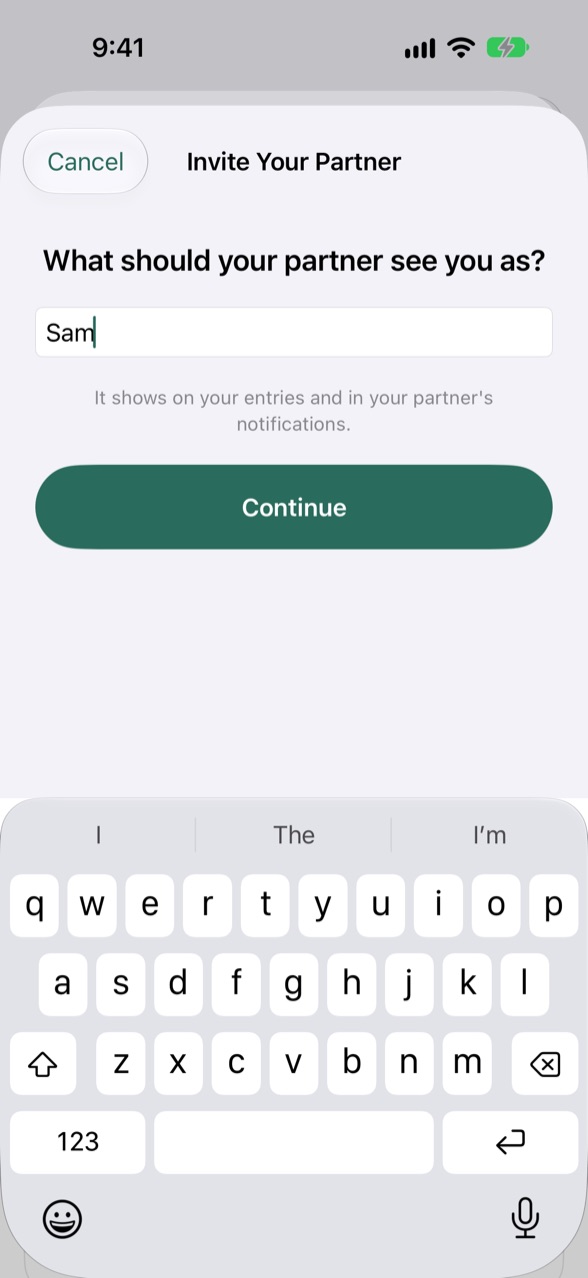 2. Your name, the first time
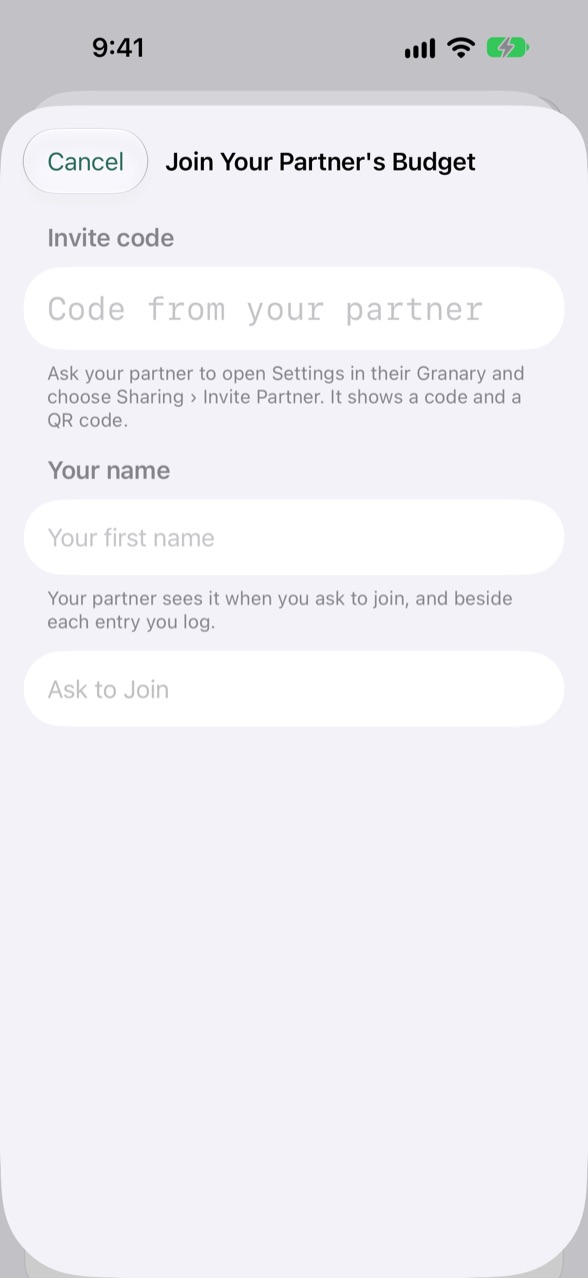 3. Your partner joins
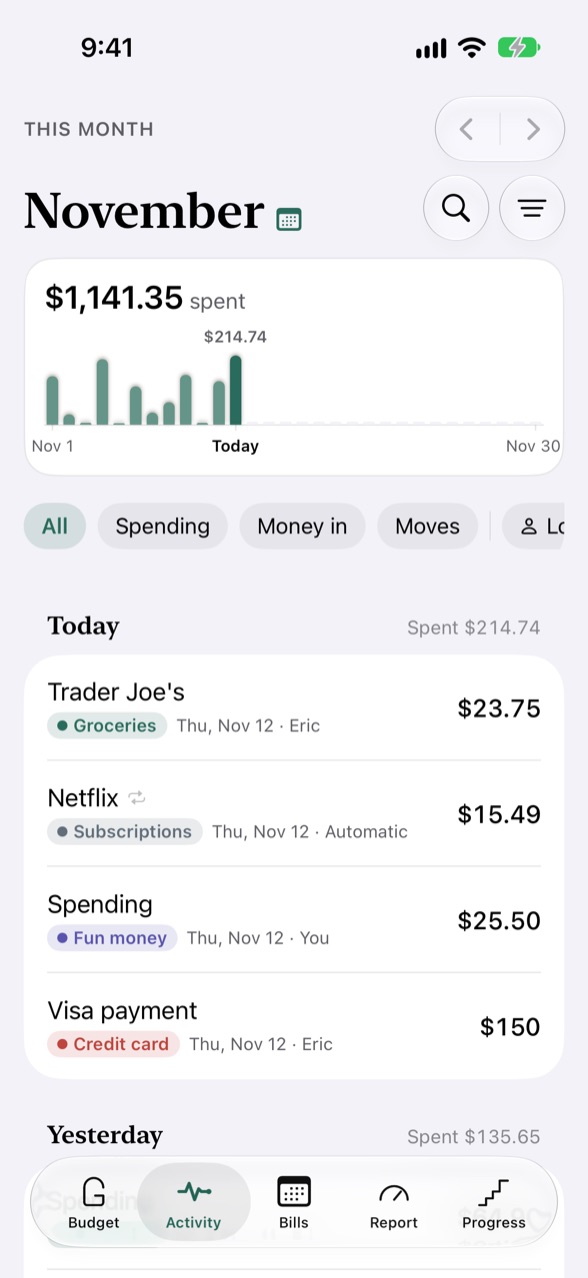 5. Each entry says who
Stills, not a clip: the code needs both devices signed in to iCloud. The last picture is the app's sample shared budget.
On a Mac: open Granary › Settings… › Sharing and click Invite Partner…, or choose File › Share Budget…. Click Approve when they ask to join. A shared budget you joined is in the sidebar beside your own.
Hear when your partner logs Plus In Settings › Sharing, turn on Tell me when my partner logs or moves money, or Tell me when my partner leaves a note. Joining doesn't need Plus, and your own budget stays: switch between them from the month menu at the top of Budget, or in Settings › Sharing. The owner can remove a partner or Stop Sharing there; a partner can Leave Shared Budget.


